Happy Saturday everyone! I’m Allison Cope and
I’m here to
share a fun project that I created for a donation to my son’s school.
This is a brand new school for my son as we had moved in the summertime here
to Southern Alberta so they have events different from other schools we’ve been
in. So I found out last week that they need donations for their Christmas Market
which allows the kids to shop for donated gifts for their loved ones for a small
fee.
So I am going to donated some handmade items like some crocheted hats,
packages of handmade cards. Plus, the school indicated they needed stuff like
wrapping paper, tags and other wrapping supplies. So today I’m to start to make
a cluster of tags to send for them to use.
I grabbed a few holiday digital images from the “November/December
2016 Digital Stamp Bundle” and also from the “December/January 2016/2017 Digital Stamp
Bundle”. Digital bundles are a great way to get a lot of fun
images for one low price!!!
So grab a warm drink and join me at my crafty desk today…
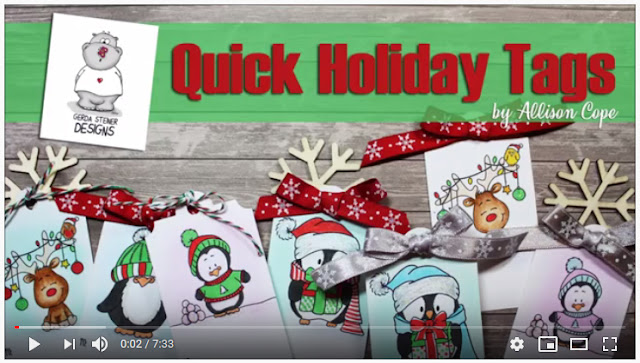
So here’s another quick look at all the fun tags I made today…
Thanks for joining me! I hope this inspires you to begin creating all kinds
of fun goodies for the holidays today!
~ Ally ~
Showing posts with label December / January bundle digital stamp. Show all posts
Saturday, November 9, 2019
Thursday, October 3, 2019
A Penguin Trio
Happy Thursday everyone! I’m Allison Cope and
today I’m going to share a fun holiday card featuring some adorable digital
images!
For my card, I wanted to keep my front panel very simple and feature the cute penguins from the “Holiday with gift and Penguins Collection” and also the penguin with the hat over his face from the “December/January 2016/2017 Digital Stamp Bundle”. Both of these stamp bundles feature multiple digital images perfect for your Christmas cards.
I’m going to be using some Ranger Distress Oxide inks and my Copic Markers on my card today.
Come and join me in my crafty space for just a few moments to see the entire process of my card. Grab a cup of your favorite beverage and join me…
Here’s another quick look at the final card. Isn’t my little row of tuxedo cuties adorable?
Thanks for stopping by! I’d love to hear what you think below or leave a comment below my video.
Have a great weekend and Happy Thanksgiving NEXT weekend to my fellow Canadian creators!
~ Ally ~
Friday, August 30, 2019
You've Got Mail!
Happy Friday all! I'm Allison Cope and today we're going to play with a few different digital stamps. I wanted to use the adorable "Snailmail" digi but I wanted my little snail to have some adorable companions so I found I few other digital images that had envelopes in their hands. I found the owl with the letter in the "December/January 2016-2017 Digital Bundle" and also the cute "Monster Holding Letter".
I also wanted to share a bit about how I created my image in my editing software. I use a very old version of PhotoShop, CS3. If you are not familiar with it or it's out of your price range, try downloading and use the "GIMP" program. There are tons of YouTube videos to help you learn all about the program plus it's FREE!
Now, come and join me in my craftroom and learn all about how I made this card!
Here's another look at the final card!
Aren't my little letter carriers adorable?
Now, go and visit the Gerda Steiner Designs shop! There's a sale going on right now too... TODAY's the final day to take advantage of it!
Happy shopping and creating!
~ Ally ~
Saturday, June 29, 2019
Crossing Guard Thank You's by Karla
Hello friends, Karla here today with two adorable cards as special thank you's for the Crossing Guards at our school. We are so thankful for them, keeping our kids safe every day, and the FREEBIE Crossing Guard Digital Stamp from the Gerda Steiner Designs Shop was the perfect image! When you download this image you also get a printable with a perfectly sized image for the outside of your card along with a sentiment for the inside. I printed two of these out on one sheet of 8 1/2" x 11" cardstock.
I coloured this image with Copic Markers and added white gel pen for highlights. Paper from Shimelle's Sparkle City collection was a great background for both cards, and a few stars cut from glitter cardstock adds just a touch of bling!
Inside, I used the pre-printed sentiment from this digi set and added another little star.
The second card uses a different background paper, and I actually coloured it with the Paint program on my computer. This would be a great way to pre-colour and make several cards quickly and easily! I took a few Copic Markers to add a tiny bit of shading around the edges and added a few white gel pen highlights.
Thanks so much for stopping by! Be sure to head over to the Gerda Steiner Designs Shop to see what fun things you can find today!!
Hugs, Karla
Labels:
Cards,
Copic Markers,
Crossing Guard,
December / January bundle digital stamp,
Freebie,
Karla Yungwirth
Monday, January 2, 2017
Guest designer - Huh?!
Hello everyone!
Alexandra here from made by Alexandra and I wanted to share a card that I made using the December / January digital bundle stamp from Gerda Steiner Designs.
I totally love this cute penguin and kinda like how I feel after holidays :)) oh don't get me wrong I love holidays but some time can be a bit too stressful to try to make all the things perfect :)
I colored this little guy using Spectrum Noir Markers , the sentiment is also from a stamp set from Gerda Steiner Designs Llama tell you which I think matches perfect with the penguin:)
I also made a video so you can see how I made the card step by step !
Thank you so much for stopping by! Have a great day!
Alexandra here from made by Alexandra and I wanted to share a card that I made using the December / January digital bundle stamp from Gerda Steiner Designs.
I totally love this cute penguin and kinda like how I feel after holidays :)) oh don't get me wrong I love holidays but some time can be a bit too stressful to try to make all the things perfect :)
I colored this little guy using Spectrum Noir Markers , the sentiment is also from a stamp set from Gerda Steiner Designs Llama tell you which I think matches perfect with the penguin:)
Thank you so much for stopping by! Have a great day!
Subscribe to:
Posts (Atom)


